Write an invoice or estimate on your phone in under a minute, export a clean PDF, and send it before you leave the driveway. Every client, price and invoice stays on your device — there is no server holding it, because there is no server.
An offline invoice app stores every invoice, estimate, client and price on your phone itself, in a database only that app can read. It needs no sign-up, no internet connection to create or export a document, and no company server holding your customer list.
EstimateBill works this way by default — not as a fallback mode when the signal drops. The distinction matters, because "works offline" is used for two very different things. An app that works offline does the whole job on the device. An app that queues offline lets you type, then syncs later, and if the sync fails you find out days afterwards.
| What you are doing | Needs a connection? | Where it happens |
|---|---|---|
| Creating an invoice or estimate | No | On the device |
| Applying GST / VAT / sales tax | No | Rate tables ship with the app |
| Exporting the PDF | No | Rendered on the phone |
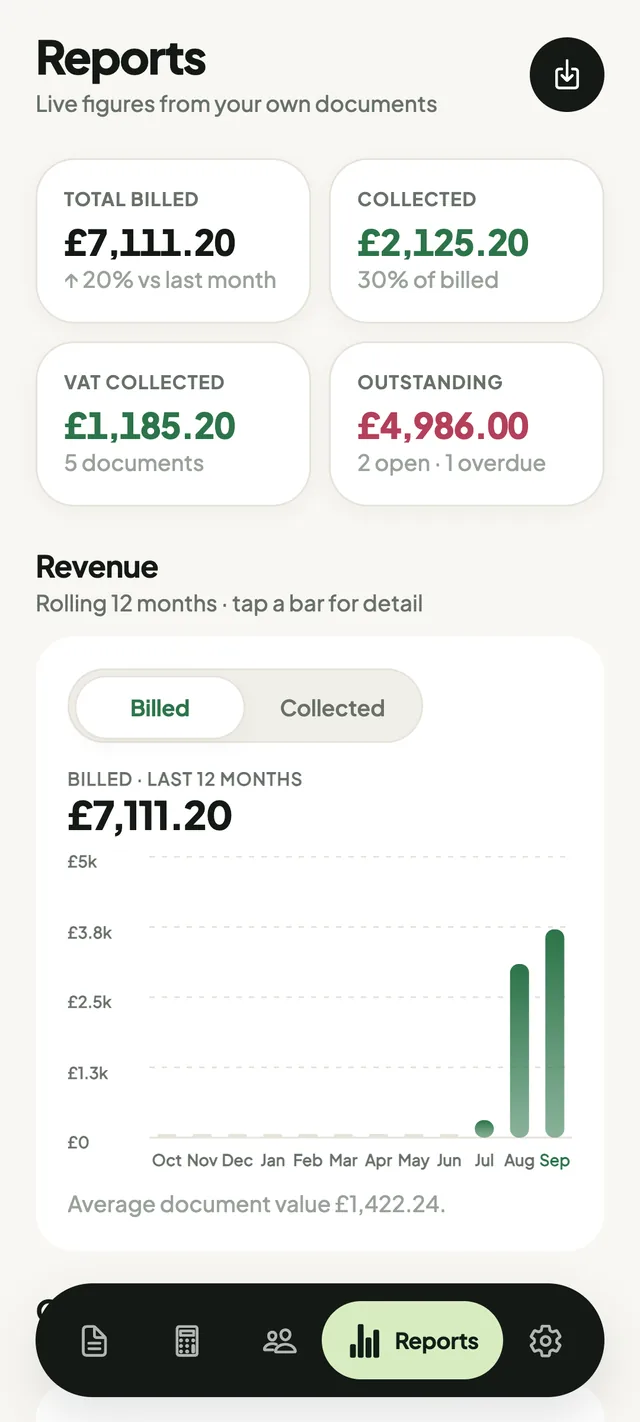
| Reports and outstanding totals | No | Arithmetic over local records |
| Due-date reminders | No | Scheduled on the device |
| Sending the finished file | Yes | Your email or WhatsApp |
Only the last row needs a signal — and by then the invoice is already made. Offline invoice app versus cloud sets out what you give up as well as what you get.
Not a stripped-down mobile add-on to a desktop product. This is the whole thing.
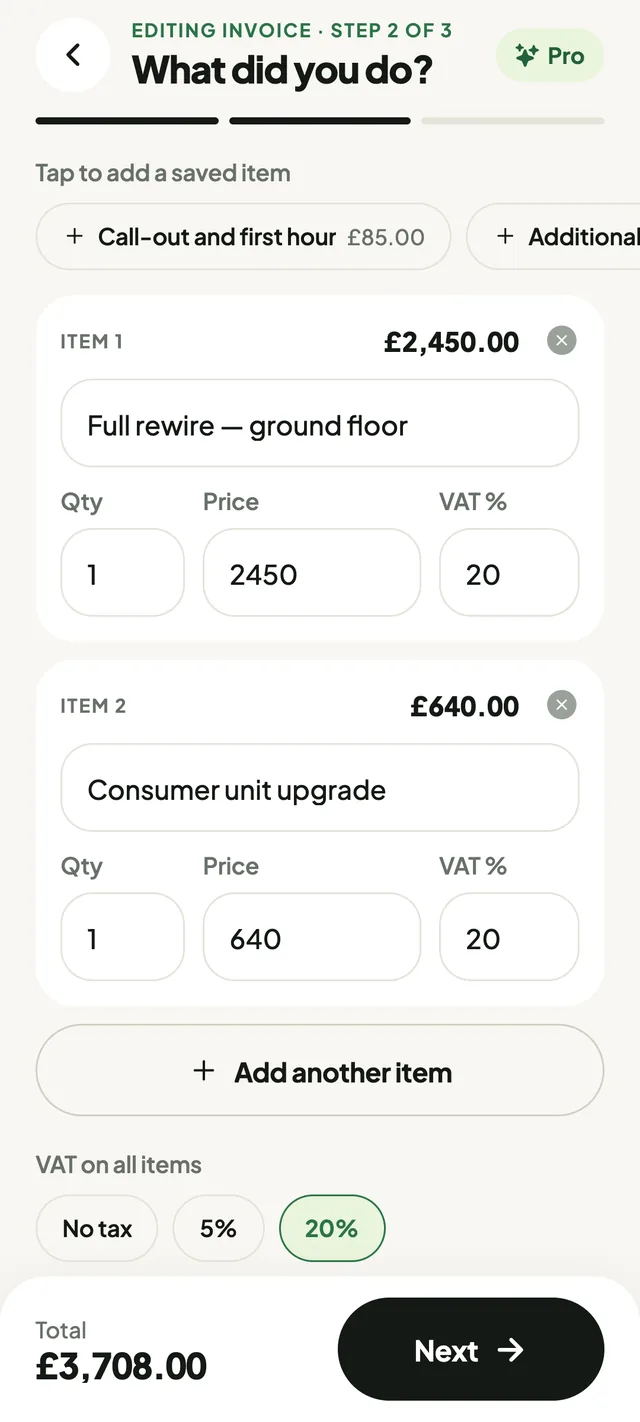
Client, line item, tax, send. Prices you have used before come back as suggestions, so the second invoice for a regular job is faster than the first. See what has to be on an invoice.
Win the job and convert the quote in one tap — same lines, same prices, new number. How that works, and invoice vs estimate vs quote.
Pick your country once and the app uses the right name, the right rate list and the right tax-number field. 58 countries built in.
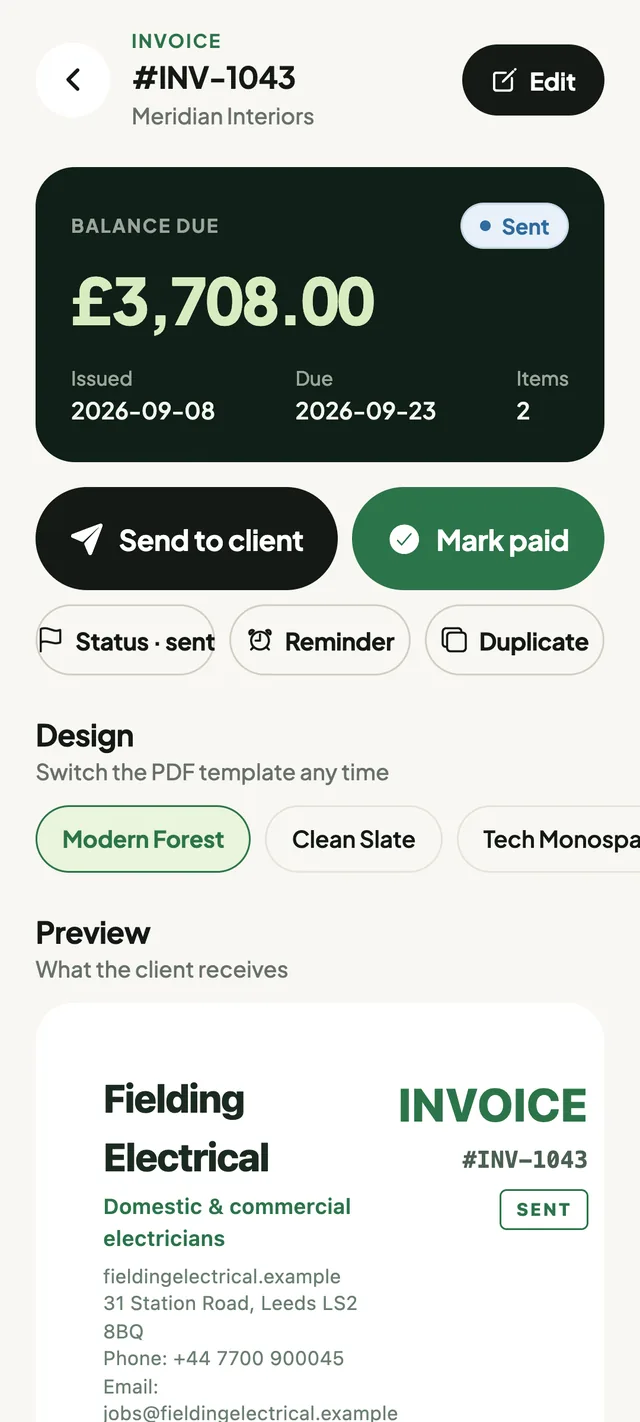
Clean, typeset layouts with your logo and colours. The document a customer opens is what decides whether you look like a business or a text message.
A nudge on the due date and again three days after, generated on the phone. Chasing a late invoice without burning the relationship.
Record a deposit, log a partial, and the balance updates everywhere. How much deposit to ask for.
What you invoiced this month, what is outstanding, who owes most, and how long the average customer takes to pay. Tracking unpaid invoices.
Sequential, gap-free, with your own prefix. Auditors care about this more than you would expect — here is why.
Settings → Backup writes your entire history to a single file you keep. Restore reads it back on any device, Android or iPhone. No cloud account in the middle.
Standing at the van, phone in one hand. That is the situation the app is designed around — not a desk, not a weekend admin session. Pick the client, add what you did, set the terms, send it. Anything you have billed before autocompletes, and tax applies per line so a zero-rated item sits happily next to a standard-rated one.


Most invoice apps are built around one country's rules and bolt the rest on. EstimateBill ships a registry of 58 countries: the tax's real name, the rates that country actually uses, the label for the tax number, and the format customers expect to see. GST and GSTIN in India, VAT and a VAT number in the UK, Sales Tax and an EIN in the US, SST in Malaysia, IVA and an RFC in Mexico.
On first run the app reads your device's own locale and timezone — offline, no IP lookup, nothing sent anywhere — and pre-selects the matching country. One tap in Settings changes it.
A worked example. You invoice 4,100 and show a 5% discount. The discount reduces the taxable value, so tax is charged on 3,895 — not on 4,100. At 18% GST that is 701.10, not 738.00. Charging on the pre-discount figure over-collects, and you hand the difference to the tax office out of your own margin, on every invoice you issue until someone notices.
The United States is deliberately left blank. There is no national rate — it is set by state, county and sometimes city — so the app asks you to enter yours rather than inventing a number that would be wrong nearly everywhere. US sales tax on invoices explains the reasoning. Brazil is left open for the same kind of reason.
This is our own site, so weigh it accordingly. The short version: if you need payroll, bank feeds and a bookkeeper's ledger, use accounting software. If you need to send a correct invoice from a driveway and get paid, this is built for that.
| EstimateBill | Cloud invoice apps | Full accounting suites | |
|---|---|---|---|
| Works with no internet | Always | Rarely | No |
| Account required | None | Yes | Yes |
| Where records are stored | Your device | Vendor servers | Vendor servers |
| Ads or tracking | Neither | Sometimes | Sometimes |
| Monthly cost | Free | Usually paid | Paid |
| Time to first invoice | About a minute | Sign-up flow first | Setup wizard first |
| Bank feeds & payroll | No | Sometimes | Yes |
| Multi-user teams | No | Yes | Yes |
| Automatic cloud backup | Manual export | Yes | Yes |
The last three rows are deliberately in the other columns' favour. A sole trader almost never needs them; if you do, you are not our user and we would rather you know that now. Accounting software versus an invoice app goes further.
Version 1.0 costs nothing to download and nothing to use. Every feature is unlocked, there is no invoice limit and no watermark. There is no trial to expire, because there is no paid tier to expire into.
No card, no trial, no sign-up. Why we did not take the ad money · Invoice apps without a subscription
The free invoice generator runs entirely in your browser. Fill in the fields, print to PDF, close the tab. Nothing is uploaded, nothing is stored, and there is no sign-up — same principle as the app, on a bigger screen.
Yes, completely. Creating invoices and estimates, adding clients, applying tax, exporting a PDF and viewing reports all happen on the device. You only need a connection at the moment you choose to send a file to someone.
No. There is no sign-up, no email, no password. Install the app and the first invoice is about a minute away.
Version 1.0 is free with every feature unlocked and carries no advertising and no analytics SDK. There is no invoice limit and no PDF watermark.
58, covering GST, VAT, SST, consumption tax and sales tax. The app picks up your country from the device's own locale settings and you can change it in Settings. Rates were checked to mid-2026 and should be treated as a starting point rather than tax advice.
Because nothing is stored on a server, a lost phone means lost data unless you have exported a backup. Settings → Backup writes your full history to one file — keep it somewhere you control, and restore it on the new device. What to do if you left it too late.
Yes — export a backup on the old phone, restore it on the new one. It works between Android and iPhone in either direction. The step-by-step guide is here.
Yes. Add your logo, business details and tax number once in Settings, and every PDF carries them.
Yes. Record a deposit or a partial payment against an invoice and the balance due updates across the invoice, the client record and the reports.
Gurjeet Singh, Sharpen Solutions. Most invoice apps want an email address before they will let you type a line item. Then a verification link. Then a plan. Then they hold your entire customer list on a server you have never seen, in a country you did not choose, under terms that change when the company is acquired.
None of that is required to produce a correct invoice. A phone from 2019 has more than enough power to store a few thousand invoices and render a PDF. So EstimateBill does exactly that, and nothing else: no account, no server, no ads, no tracking.
The same reasoning produced the rest of this site — a browser invoice generator that uploads nothing, and a library of invoicing guides, both free, neither asking you to sign in. If a tool can work without collecting anything, it should.